Table of Contents
Introduction
The evolution from traditional cash registers to modern Point of Sale (POS) systems has revolutionized retail operations. Today's POS systems are the heart of retail operations, handling everything from billing and payments to inventory tracking and customer management.
Modern retailers need POS systems that are fast, reliable, and feature-rich. This comprehensive guide compares the top 8 POS systems available in India, helping you find the perfect solution for your retail store.
What is a POS System?
A Point of Sale (POS) system is the combination of hardware and software that retailers use to process sales transactions. It's where customers complete their purchases and where retailers manage their daily operations.
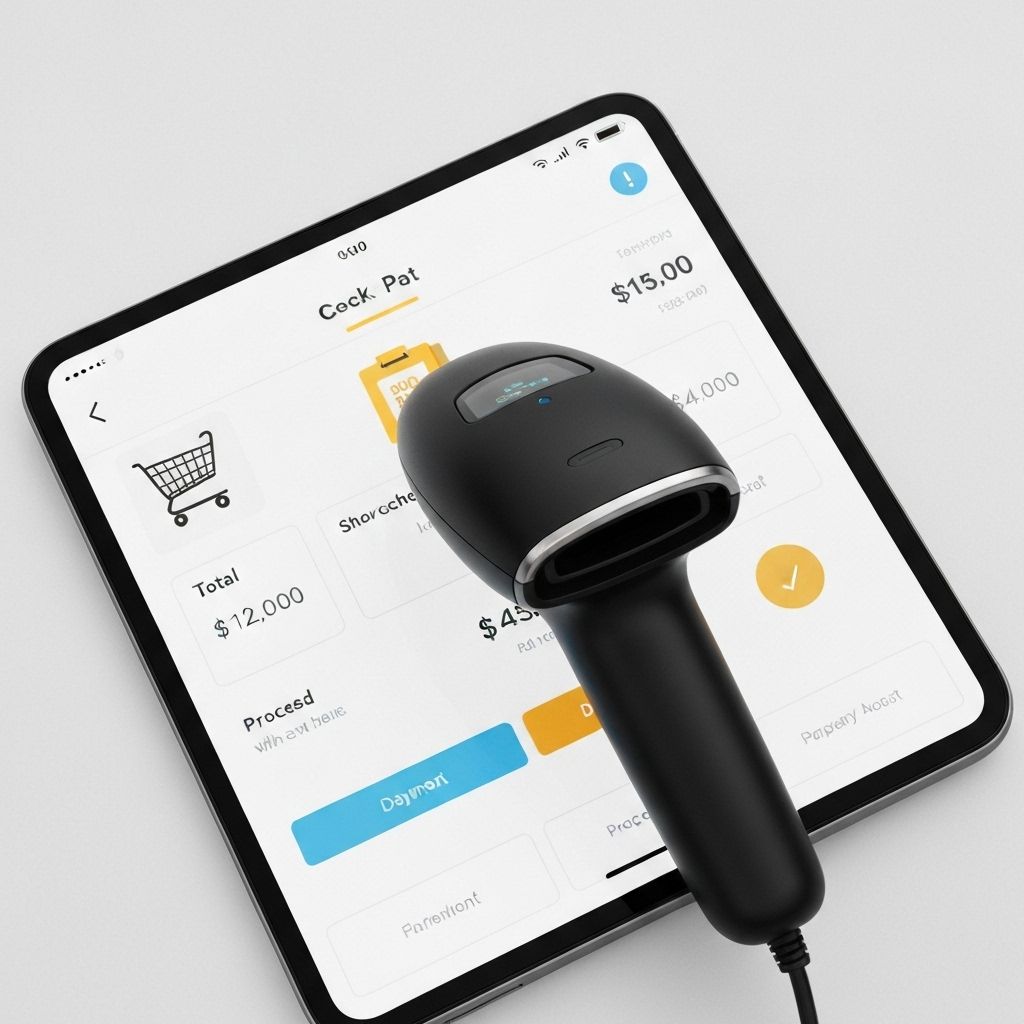
Components: A POS system consists of hardware (tablet/computer, barcode scanner, receipt printer, cash drawer) and software that handles billing, inventory updates, payment processing, and reporting.
How POS Systems Work: When a customer makes a purchase, the POS system scans products, calculates totals including taxes, processes payment, updates inventory in real-time, generates receipts, and records the transaction for reporting.
Benefits Over Traditional Billing: Modern POS systems offer speed (3x faster than manual billing), accuracy (eliminates calculation errors), inventory management (automatic stock updates), customer tracking, and comprehensive reporting that helps you make data-driven decisions.
Types of POS Systems
Traditional POS (On-Premise)
Installed on local computers, requires dedicated hardware, expensive upfront costs (₹50,000-2,00,000), but works offline. Best for stores with poor internet connectivity.
Cloud-Based POS (Modern) ⭐ RECOMMENDED
Hosted on cloud servers, accessed via internet, low upfront costs (₹0-25,000 for hardware), automatic updates, remote access. Most modern retailers choose this option.
Mobile POS (Tablet/Smartphone-Based)
Uses tablets or smartphones as POS terminals, highly portable, perfect for pop-up stores, events, and small retail spaces. Lower hardware costs.
Hybrid POS (Best of Both Worlds)
Combines cloud features with offline capabilities. Works without internet, syncs when connection returns. Ideal for stores with intermittent connectivity.
Which Type is Right for Your Store? For 90% of retailers, cloud-based POS is the best choice due to lower costs, automatic updates, and remote access. Only choose on-premise if you have strict data requirements or very poor internet.
Essential Features of a Good POS System
1. Fast Billing & Checkout
Speed matters at the checkout counter. Your POS should support:
- • Barcode scanning for instant product lookup
- • Multiple payment methods (UPI, cards, cash, digital wallets)
- • Split payments (part cash, part card)
- • Quick invoice generation and printing
- • Offline mode for uninterrupted operations
2. Inventory Integration
Real-time inventory management prevents stockouts and overselling:
- • Automatic stock updates after each sale
- • Low stock alerts when inventory reaches threshold
- • Product variants management (size, color, etc.)
- • Batch and expiry date tracking
3. GST Compliance
Essential for Indian retailers:
- • Automatic tax calculation based on product HSN codes
- • GST-compliant invoices with all required fields
- • GSTR reports for easy filing
- • Support for different tax rates (5%, 12%, 18%, 28%)
4. Customer Management
Build lasting customer relationships:
- • Customer database with contact information
- • Purchase history tracking
- • Loyalty programs and points management
- • Customer segmentation for targeted marketing
5. Reporting & Analytics
Make data-driven decisions:
- • Daily sales reports
- • Best-selling products analysis
- • Staff performance tracking
- • Profit margin analysis
- • Customer behavior insights
6. Multi-Location Support
Essential for growing businesses:
- • Centralized management across all stores
- • Store-wise sales reports
- • Inventory transfers between locations
- • Unified customer database
7. Ease of Use
Your staff should be productive from day one:
- • Intuitive interface requiring minimal training
- • Quick staff onboarding (30 minutes to 2 hours)
- • Minimal learning curve
- • Mobile-friendly for on-the-go access
Top 8 POS Systems for Indian Retailers
1. Zentiya POS ⭐ EDITOR'S CHOICE
Comprehensive Overview: Zentiya POS is part of a complete retail management suite, making it unique among POS solutions. It's not just a billing system—it's an integrated platform that handles POS, inventory, CRM, marketing, and analytics.
Highlight Features:
- • AI-powered features (product recommendations, demand forecasting)
- • WhatsApp receipts sent automatically to customers
- • Offline mode with automatic sync when connection returns
- • Fast billing with barcode scanning (processes transactions in 10-15 seconds)
- • Integrated inventory management (no separate system needed)
- • Built-in customer loyalty program
- • Advanced analytics and reporting
Pricing: ₹2,999-5,999/month (includes entire retail suite - POS, inventory, CRM, marketing, analytics). Early bird pricing: ₹2,999-3,599/month.
Best For: Fashion retailers, electronics stores, jewelry shops, and any retailer looking for a comprehensive solution beyond just billing.
Unique Selling Point: Only POS system with AI marketing built-in. Automatically creates social media posts, sends WhatsApp campaigns, and generates product recommendations.
💬 Customer Quote
"Fastest POS we've used. Staff learned in 30 minutes. The WhatsApp receipts feature is a game-changer—customers love it, and we save on paper." - Rajesh, Fashion Store Owner
2. Pine Labs
Overview: One of the most popular POS solutions in India, especially for payment processing. Widely used across retail stores, restaurants, and service businesses.
Key Features: Payment processing, basic billing, limited inventory features, payment terminal integration.
Pricing: ₹1,500-3,000/month plus transaction fees.
Best For: Retailers primarily focused on payment processing with basic billing needs.
3. Shopify POS
Overview: Integrated POS solution for retailers with Shopify online stores. Seamless synchronization between online and offline sales.
Key Features: Unified inventory, customer data sync, e-commerce integration, basic reporting.
Pricing: ₹2,000-5,000/month plus transaction fees (0.5-2% per transaction).
Best For: Retailers with strong e-commerce presence who want unified online-offline operations.
4. Gofrugal POS
Overview: Established Indian POS solution with strong market presence. Offers comprehensive retail management features.
Key Features: Billing, inventory, GST compliance, multi-location support, basic CRM.
Pricing: ₹799-2,500/month depending on features.
Best For: Small to medium retailers looking for established, reliable solutions.
5. Square POS
Overview: International POS solution with simple, user-friendly interface. Popular for its ease of use.
Key Features: Simple billing, basic inventory, payment processing, mobile-first design.
Pricing: ₹2,500-4,500/month plus transaction fees.
Best For: Small single-location stores needing simple, easy-to-use solutions.
6. PetPooja POS
Overview: Primarily known for restaurant management, also offers retail POS solutions.
Key Features: Billing, inventory, basic reporting, GST compliance.
Pricing: ₹1,200-2,500/month.
Best For: Retailers in food and beverage sector.
7. Mswipe POS
Overview: Payment-focused POS solution with integrated billing features.
Key Features: Payment processing, basic billing, card acceptance.
Pricing: ₹1,000-2,000/month plus transaction fees.
Best For: Retailers primarily needing payment processing with minimal billing features.
8. Ezetap
Overview: Payment terminal provider with POS software integration.
Key Features: Payment processing, basic billing, terminal management.
Pricing: ₹1,500-3,000/month plus transaction fees.
Best For: Retailers needing payment terminals with basic POS functionality.
Hardware Requirements
What Hardware Do You Need?
Essential Hardware
- • Thermal Printer: ₹5,000-8,000 (for receipts)
- • Barcode Scanner: ₹3,000-6,000 (for product scanning)
- • Cash Drawer: ₹2,000-4,000 (for cash management)
- • Tablet/Computer: ₹15,000-40,000 (can use existing device)
Total Hardware Cost: ₹25,000-58,000 (one-time investment)
Hardware Options
Dedicated Hardware: Purchase new devices specifically for POS. Higher upfront cost but optimized for retail use.
Use Existing Devices: Modern cloud POS systems like Zentiya work with your existing tablets, smartphones, or computers. Lower cost, same functionality.
Zentiya Works with Any Hardware: No vendor lock-in. Use budget hardware or your existing devices. Zentiya is compatible with all standard POS hardware.
POS System Pricing in India
POS system pricing varies significantly based on features, support level, and business model:
Monthly Subscription Models
Most modern POS systems charge monthly fees ranging from ₹799-6,000/month. This includes software, updates, and support. No large upfront investment.
One-Time License Fees
Traditional on-premise solutions charge one-time fees (₹15,000-50,000) but require annual maintenance charges (₹6,000-20,000/year) and upgrade fees.
⚠️ Transaction Fees (Watch Out!)
Some POS providers charge 0.5-2% per transaction in addition to monthly fees. On ₹10 lakh monthly sales, this adds ₹5,000-20,000/month extra! Zentiya charges NO transaction fees.
Hidden Costs to Avoid
Setup fees (₹10,000-50,000), data migration fees (₹5,000-30,000), training costs (₹2,000-5,000 per user), and integration fees. Zentiya includes all of these for free.
✅ Best Value for Money Options
Zentiya at ₹2,999-3,599/month (early bird) offers comprehensive features including AI, WhatsApp automation, and advanced analytics—features competitors charge extra for or don't offer at all.
How to Choose the Right POS
Step 1: Assess Your Store Type
Fashion stores need different features than electronics or grocery stores. Identify your specific needs: product variants, inventory complexity, customer management requirements.
Step 2: List Must-Have Features
Essential: Fast billing, barcode scanning, GST compliance, inventory tracking. Nice-to-have: AI features, WhatsApp integration, advanced analytics.
Step 3: Set Your Budget
Consider monthly software cost, hardware investment, and any hidden fees. Budget ₹3,000-6,000/month for comprehensive POS solutions.
Step 4: Try Before You Buy (Free Trials)
Always test POS systems with real data. Most providers offer 7-14 day free trials. Use this time to evaluate speed, ease of use, and feature fit.
Step 5: Check Customer Support Quality
When issues arise (and they will), good support is crucial. Check response times, support channels (email, phone, chat), and availability hours.
Conclusion
Best Overall: Zentiya POS offers the most comprehensive solution with AI features, WhatsApp automation, and complete retail management—all at competitive pricing.
Best Budget: Vyapar offers basic POS functionality for free (limited) or ₹400/month, suitable for very small stores.
Best for Chains: Zentiya or Ginesys for multi-location retailers. Zentiya offers better value with modern features.
Experience the Future of Retail POS
Try Zentiya free for 14 days. No credit card required. See why retailers are switching to Zentiya.
Start Free TrialImportant Disclaimer
Results May Vary: The results, statistics, and performance metrics mentioned in this article are based on specific case studies and may not be representative of all businesses. Individual results will vary based on various factors including business size, industry, implementation, and market conditions.
No Guarantees: This article provides informational and educational content only. Zentiya does not guarantee specific results, sales increases, cost savings, or business outcomes. Past performance does not guarantee future results.
Professional Advice: This content is not intended as financial, legal, or tax advice. Please consult with qualified professionals for advice specific to your business situation, especially regarding GST compliance, tax matters, and legal requirements.
Product Comparisons: Product rankings, ratings, and comparisons are based on publicly available information and general market research as of the publication date. Features, pricing, and availability may change. Always verify current information directly with vendors.
Third-Party Information: While we strive for accuracy, we cannot guarantee the completeness or accuracy of all information, especially regarding third-party products, pricing, or features mentioned in this article.